

/qrb_robot_base/cmd_vel topic.
For more information, see the Simulation Sample AMR Simple Motion GitHub repo.
Pipeline flow for simulation_sample_amr_simple_motion
The following figure shows the pipeline of simulation_sample_amr_simple_motion:
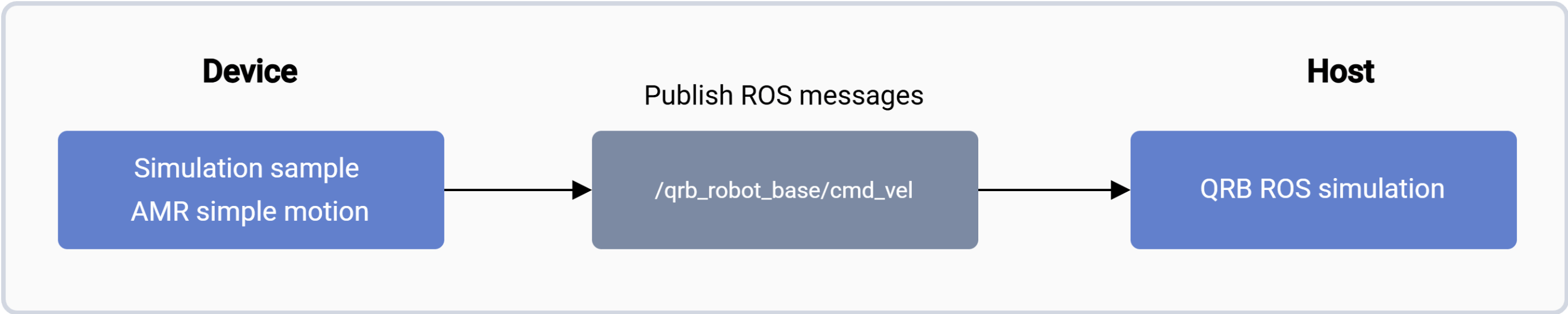
simulation_sample_amr_simple_motion pipeline.
ROS nodes used in the simulation_sample_amr_simple_motion pipeline
The following table describes the ROS node used in the AMR simple motion pipeline.
ROS topics used in the simulation_sample_amr_simple_motion pipeline
The following table describes the ROS topics used in the simulation_sample_amr_simple_motion pipeline.
Prerequisite
You have set up the device, installed ROS2 Jazzy and the Qualcomm Intelligent Robotics (QIR) SDK on the device according to Install the QIR SDK.Run simulation_sample_amr_simple_motion
1
Build the Qualcomm robotic simulation environment on the host computer
On your host computer, complete the following to build the Qualcomm robotic simulation environment according to the README of QRB ROS Simulation.
- Set up development environment on Ubuntu24.04 host or Docker.
- Build from source.
2
Run the QRB Robot Base AMR on the host
3
Run AMR simple motion on the development kit
On the development kit, run the following commands to run AMR simple motion.
Result
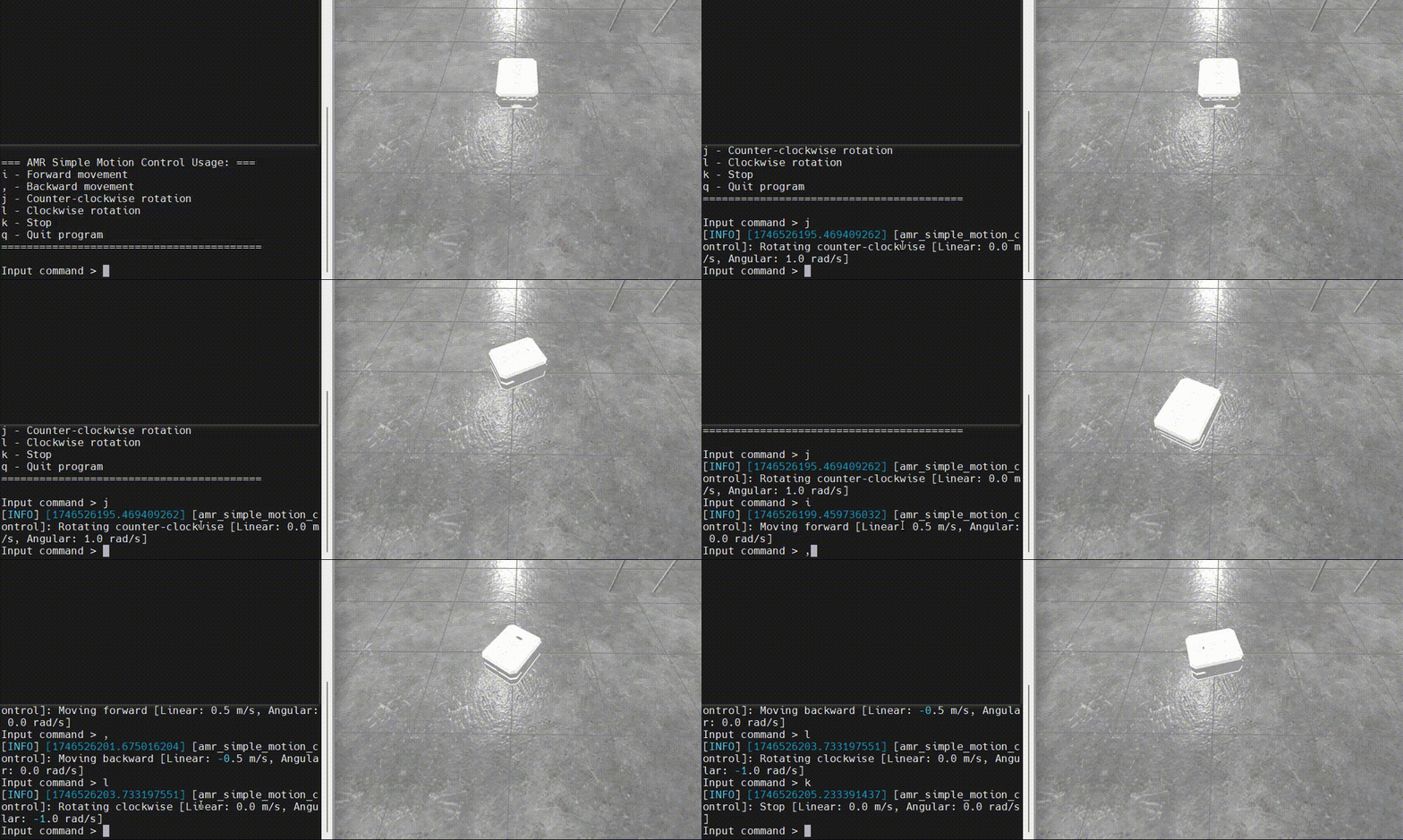
If the ROS node launches successfully, the log starting from=== AMR Simple Motion Control Usage: === appears.
Then, you can input the motion control commands and check the movement status of the QRB AMR within the simulator on the host.