> ## Documentation Index
> Fetch the complete documentation index at: https://dragonwingdocs-staging.qualcomm.com/llms.txt
> Use this file to discover all available pages before exploring further.
# AI 模型
> 直接在 IDE 中浏览、下载、分析和管理适用于 Qualcomm® 设备的 AI 模型。
## 概述
**AI 模型**部分让您可以浏览 Qualcomm AI Hub 模型目录,将模型下载到主机、烧录到活动设备并进行性能分析 — 全程无需离开 VS Code。
AI 模型部分有两个标签页:
* **MY MODELS** — 已下载到主机的模型
* **EXPLORE MODELS** — 完整的 Qualcomm AI Hub 模型目录
活动设备显示在 AI 模型页面的右上角。
***
## 我的模型
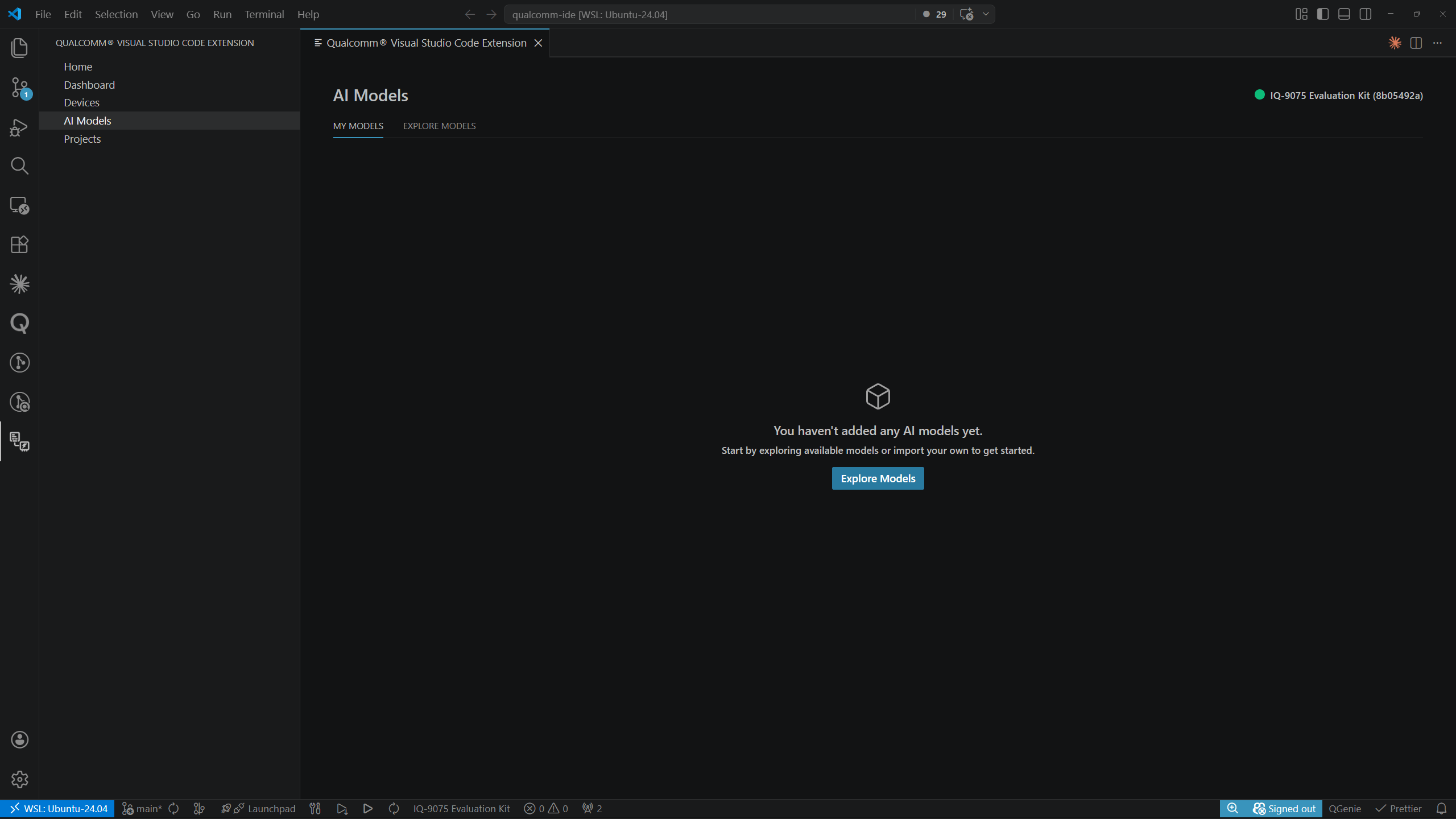
尚未下载任何模型时,**MY MODELS** 会显示带有 **Explore Models** 按钮的空状态:
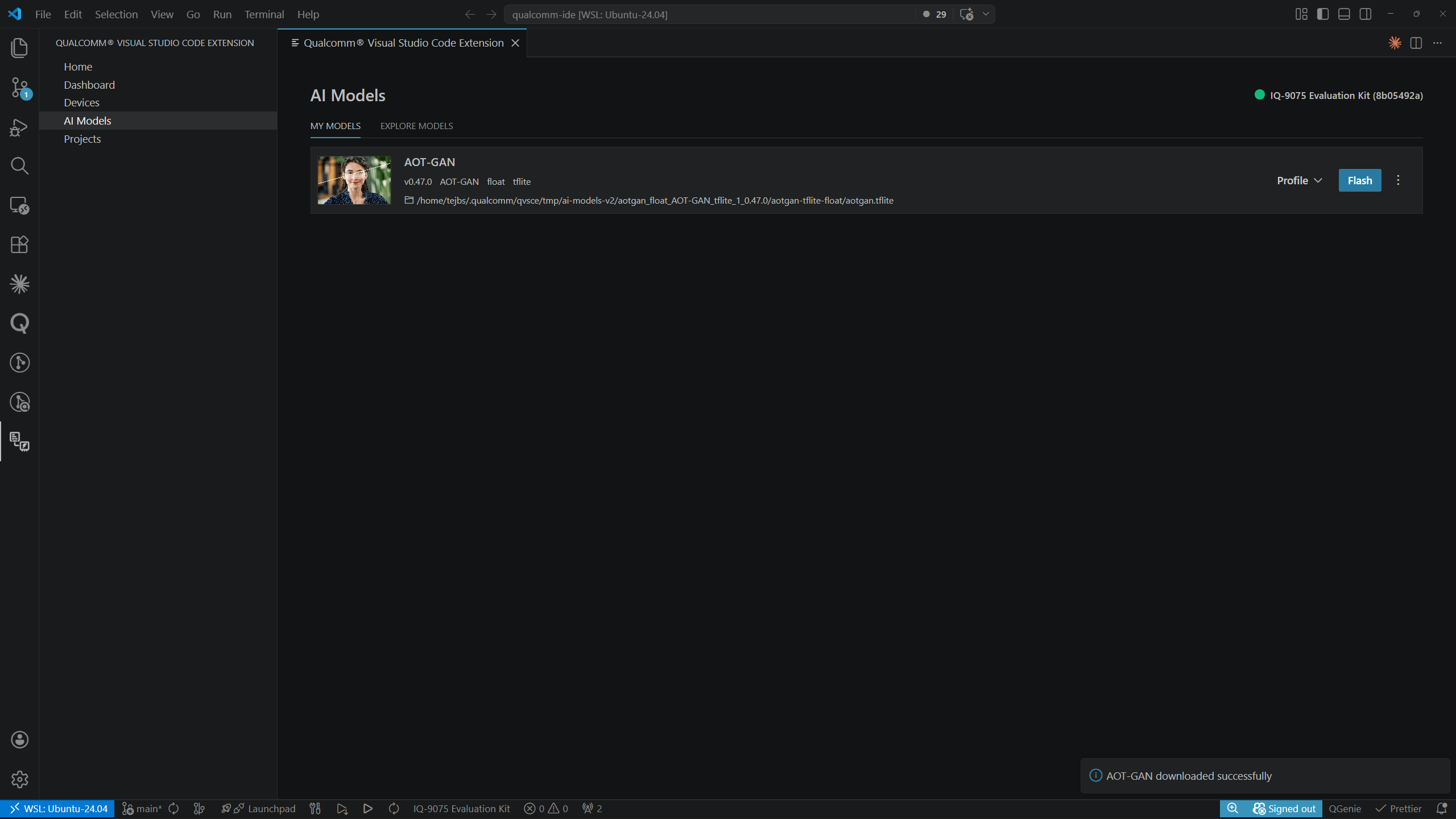
 下载模型后,每行会显示模型名称、标签(任务、精度、运行时、支持的平台)、本地文件路径以及 **Profile** / **Flash** 操作按钮。
 ***
## 探索模型
**EXPLORE MODELS** 标签页以按类别分组的卡片网格形式展示 AI Hub 模型目录(例如 Computer Vision、Generative AI、Multimodal)。每个类别标题显示可用模型总数和 **View All** 链接。
***
## 探索模型
**EXPLORE MODELS** 标签页以按类别分组的卡片网格形式展示 AI Hub 模型目录(例如 Computer Vision、Generative AI、Multimodal)。每个类别标题显示可用模型总数和 **View All** 链接。
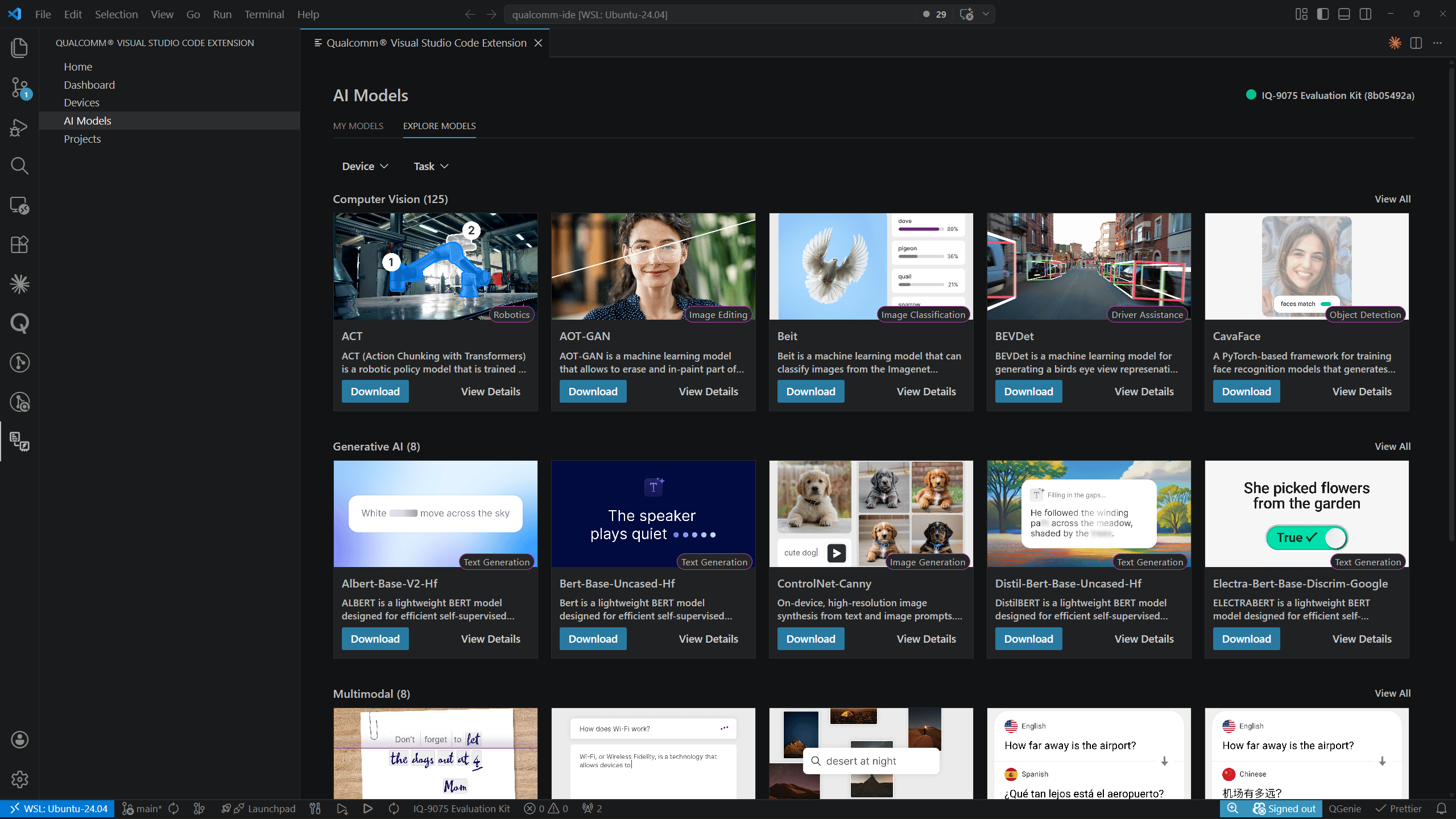 每张卡片显示:
* 带任务徽章的预览图(例如 Image Classification、Text Generation)
* 模型名称和简短描述
* **Download** 和 **View Details** 操作按钮
### 过滤目录
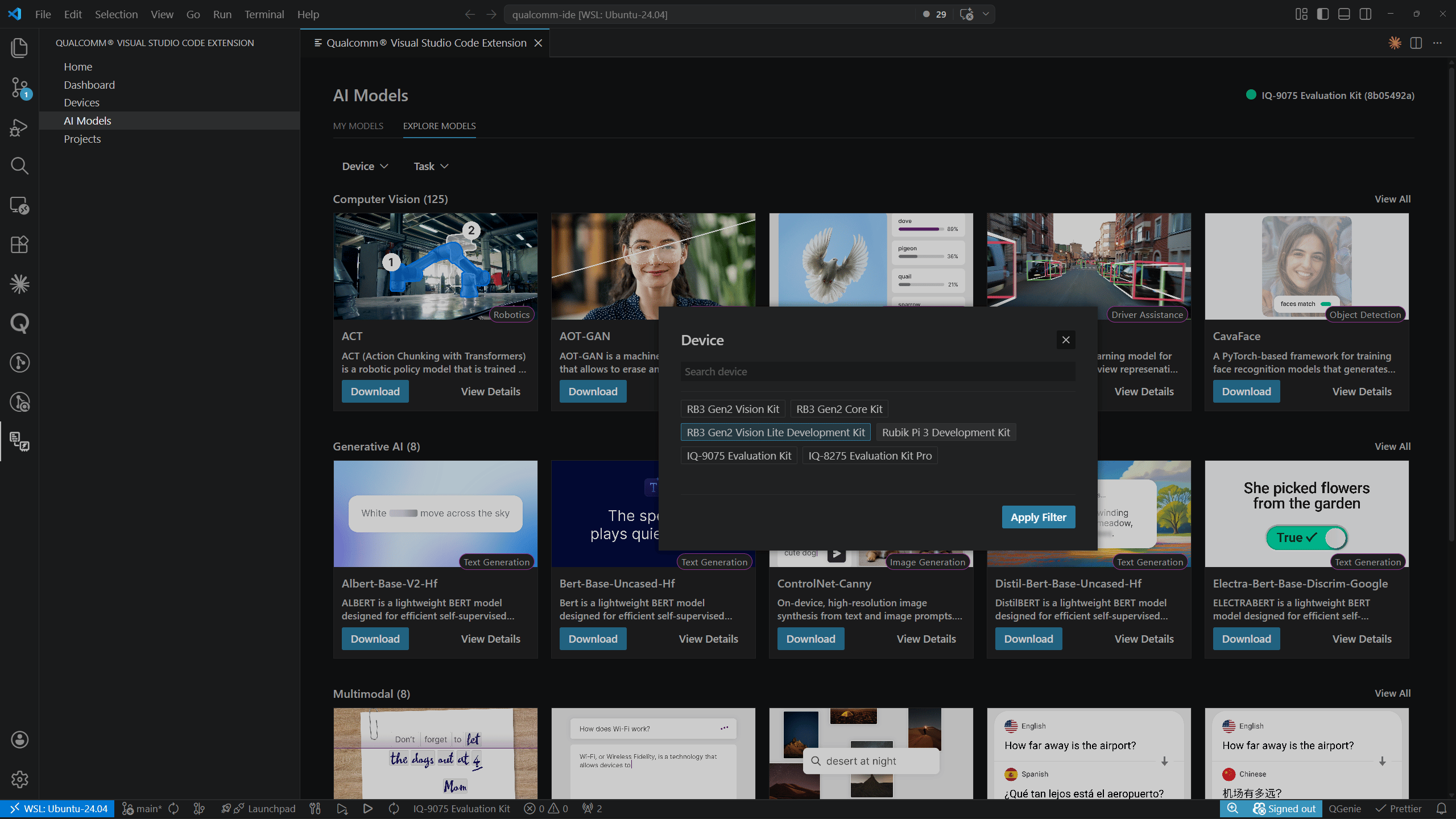
使用网格上方的 **Device** 和 **Task** 过滤下拉菜单来缩小结果范围。
点击 **Device** 会打开一个包含搜索框和设备芯片选择器的模态框(例如 RB3 Gen2 Vision Kit、IQ-9075 Evaluation Kit、IQ-8275 Evaluation Kit Pro)。选择一个或多个设备,然后点击 **Apply Filter**。
每张卡片显示:
* 带任务徽章的预览图(例如 Image Classification、Text Generation)
* 模型名称和简短描述
* **Download** 和 **View Details** 操作按钮
### 过滤目录
使用网格上方的 **Device** 和 **Task** 过滤下拉菜单来缩小结果范围。
点击 **Device** 会打开一个包含搜索框和设备芯片选择器的模态框(例如 RB3 Gen2 Vision Kit、IQ-9075 Evaluation Kit、IQ-8275 Evaluation Kit Pro)。选择一个或多个设备,然后点击 **Apply Filter**。
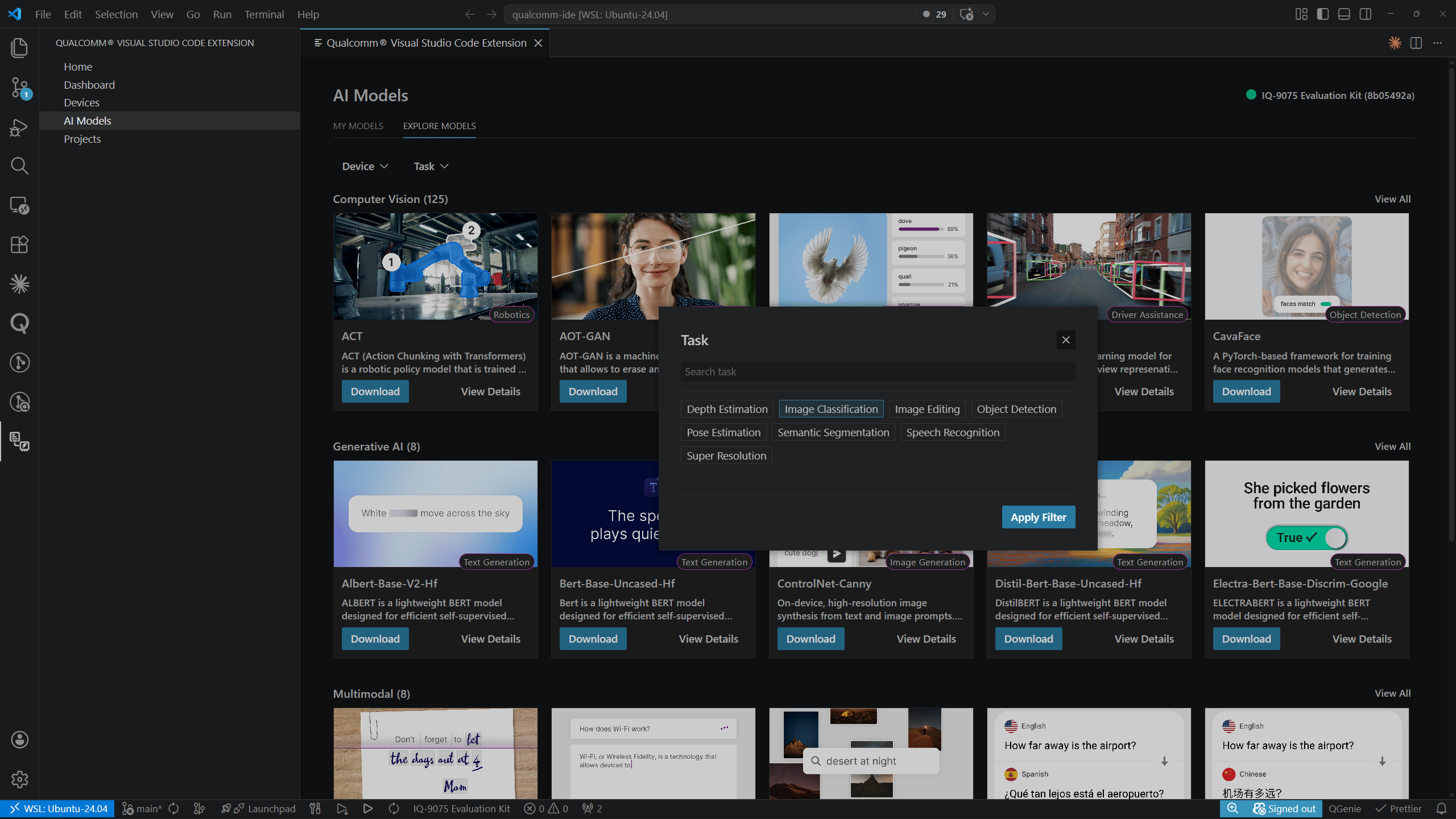
 点击 **Task** 会打开一个类似的模态框,其中包含任务芯片选择器(例如 Depth Estimation、Image Classification、Image Editing、Object Detection、Pose Estimation、Semantic Segmentation、Speech Recognition、Super Resolution)。选择一个或多个任务,然后点击 **Apply Filter**。
 ***
## 模型详情页
在任意目录卡片上点击 **View Details** 打开模型详情页。您也可以在 **MY MODELS** 中点击模型名称进入此页面。
面包屑导航显示导航路径:
* 从 **Explore Models** 进入:`Explore Models > > `
* 从 **My Models** 进入:`My Models > `
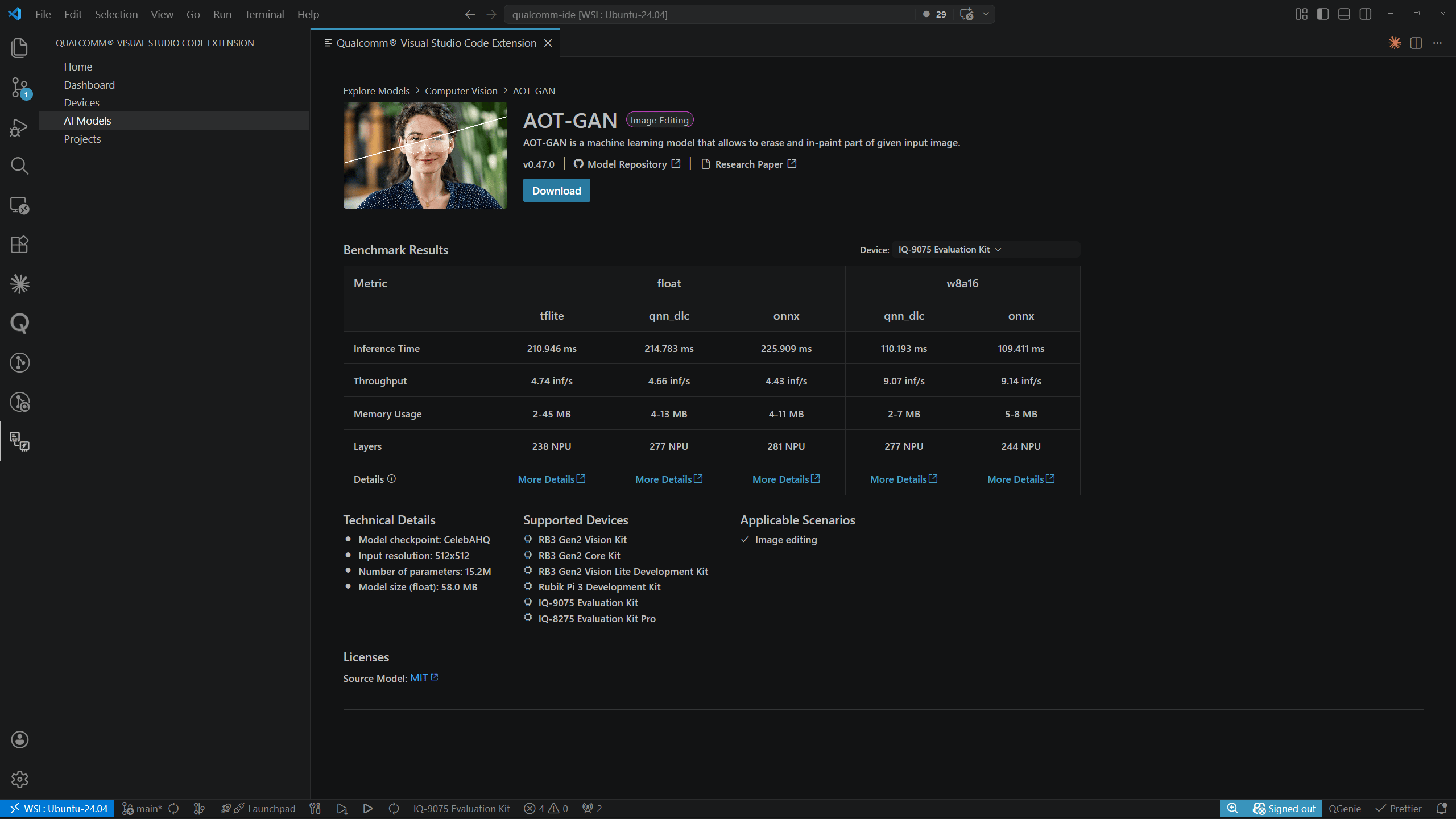
从 **Explore Models** 进入的详情页会显示完整的基准测试表,其中列出各支持设备上每种精度/运行时组合:
***
## 模型详情页
在任意目录卡片上点击 **View Details** 打开模型详情页。您也可以在 **MY MODELS** 中点击模型名称进入此页面。
面包屑导航显示导航路径:
* 从 **Explore Models** 进入:`Explore Models > > `
* 从 **My Models** 进入:`My Models > `
从 **Explore Models** 进入的详情页会显示完整的基准测试表,其中列出各支持设备上每种精度/运行时组合:
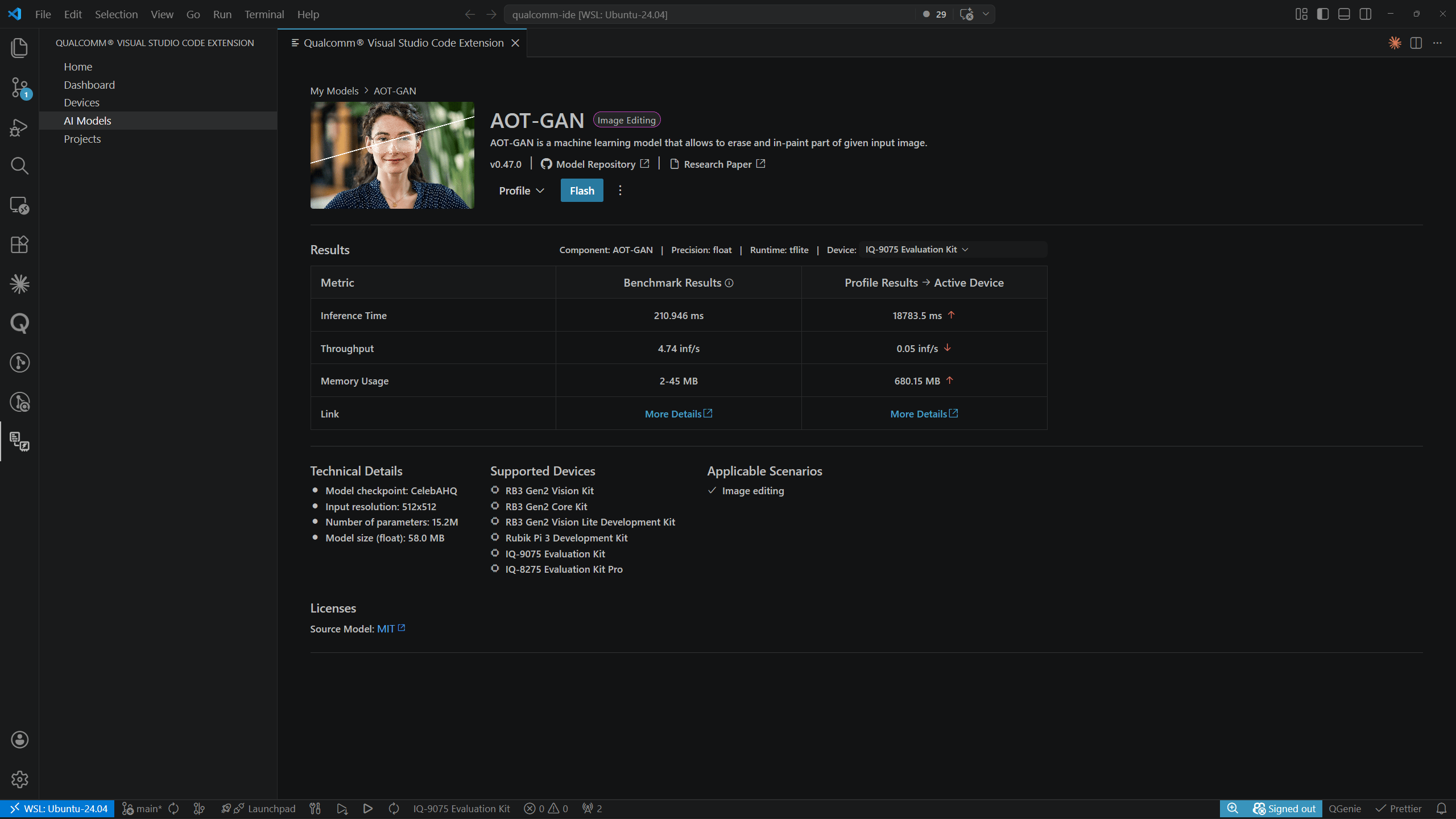
 从 **MY MODELS** 进入的详情页会同时显示基准测试结果和性能分析结果列:
 详情页包括:
* 模型名称、任务徽章和描述
* 版本、**Model Repository** 链接和 **Research Paper** 链接
* **Download** 按钮
* 带 **Device** 选择器的 **Results** 表格
* **Technical Details** — 模型检查点、输入分辨率、参数数量、模型大小
* **Supported Devices** — 兼容开发套件列表
* **Applicable Scenarios** — 建议的使用场景
* **Licenses** — 源模型许可证
***
## 下载模型
### 开始下载
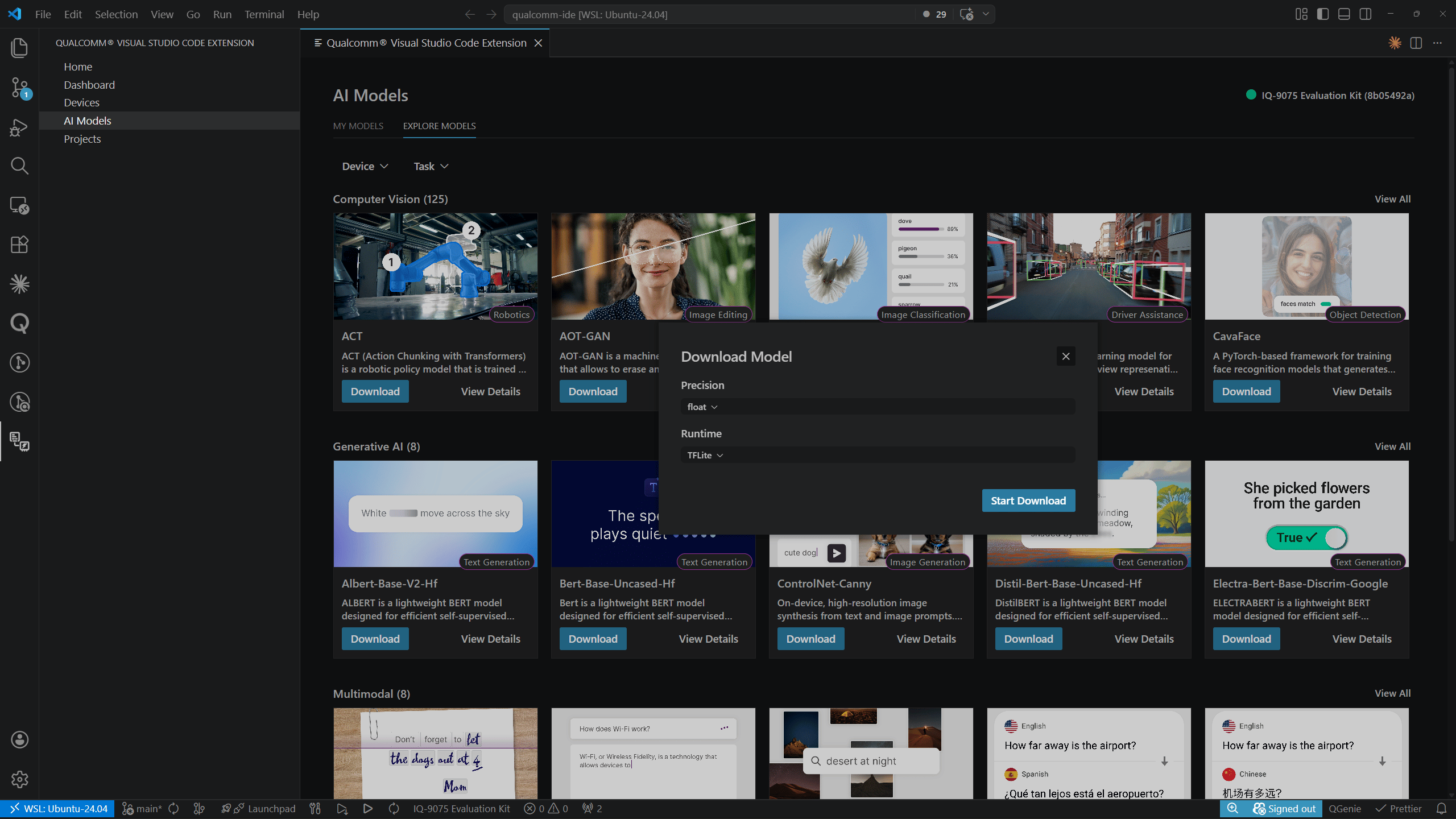
在目录卡片或模型详情页上点击 **Download**。在 **Download Model** 对话框中,选择所需的 **Precision**、**Float** 和 **Runtime** 值,然后点击 **Start Download**。
详情页包括:
* 模型名称、任务徽章和描述
* 版本、**Model Repository** 链接和 **Research Paper** 链接
* **Download** 按钮
* 带 **Device** 选择器的 **Results** 表格
* **Technical Details** — 模型检查点、输入分辨率、参数数量、模型大小
* **Supported Devices** — 兼容开发套件列表
* **Applicable Scenarios** — 建议的使用场景
* **Licenses** — 源模型许可证
***
## 下载模型
### 开始下载
在目录卡片或模型详情页上点击 **Download**。在 **Download Model** 对话框中,选择所需的 **Precision**、**Float** 和 **Runtime** 值,然后点击 **Start Download**。
 ### 下载进度
下载期间,该模型会以 **Downloading…** 标签和进度条的形式出现在 **MY MODELS** 中:
### 下载进度
下载期间,该模型会以 **Downloading…** 标签和进度条的形式出现在 **MY MODELS** 中:
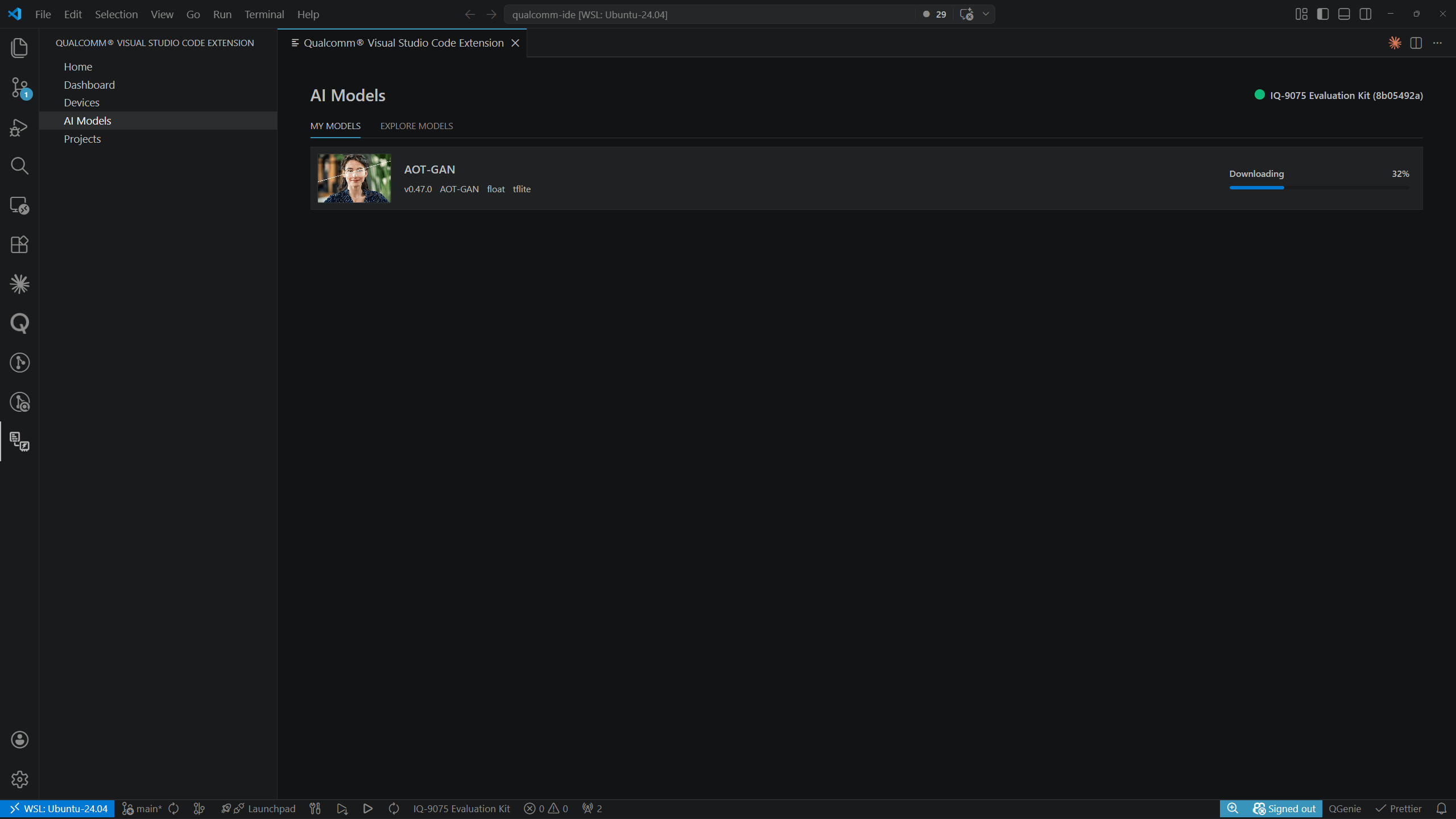 下载完成后,弹出通知确认:*"\ downloaded successfully."* 模型行会更新以显示其本地文件路径以及 **Profile** 和 **Flash** 操作按钮。
***
## 分析模型
**MY MODELS** 中的每个模型行都有一个 **Profile** 分体式按钮。点击下拉箭头(▾)可从四个选项中选择:
下载完成后,弹出通知确认:*"\ downloaded successfully."* 模型行会更新以显示其本地文件路径以及 **Profile** 和 **Flash** 操作按钮。
***
## 分析模型
**MY MODELS** 中的每个模型行都有一个 **Profile** 分体式按钮。点击下拉箭头(▾)可从四个选项中选择:
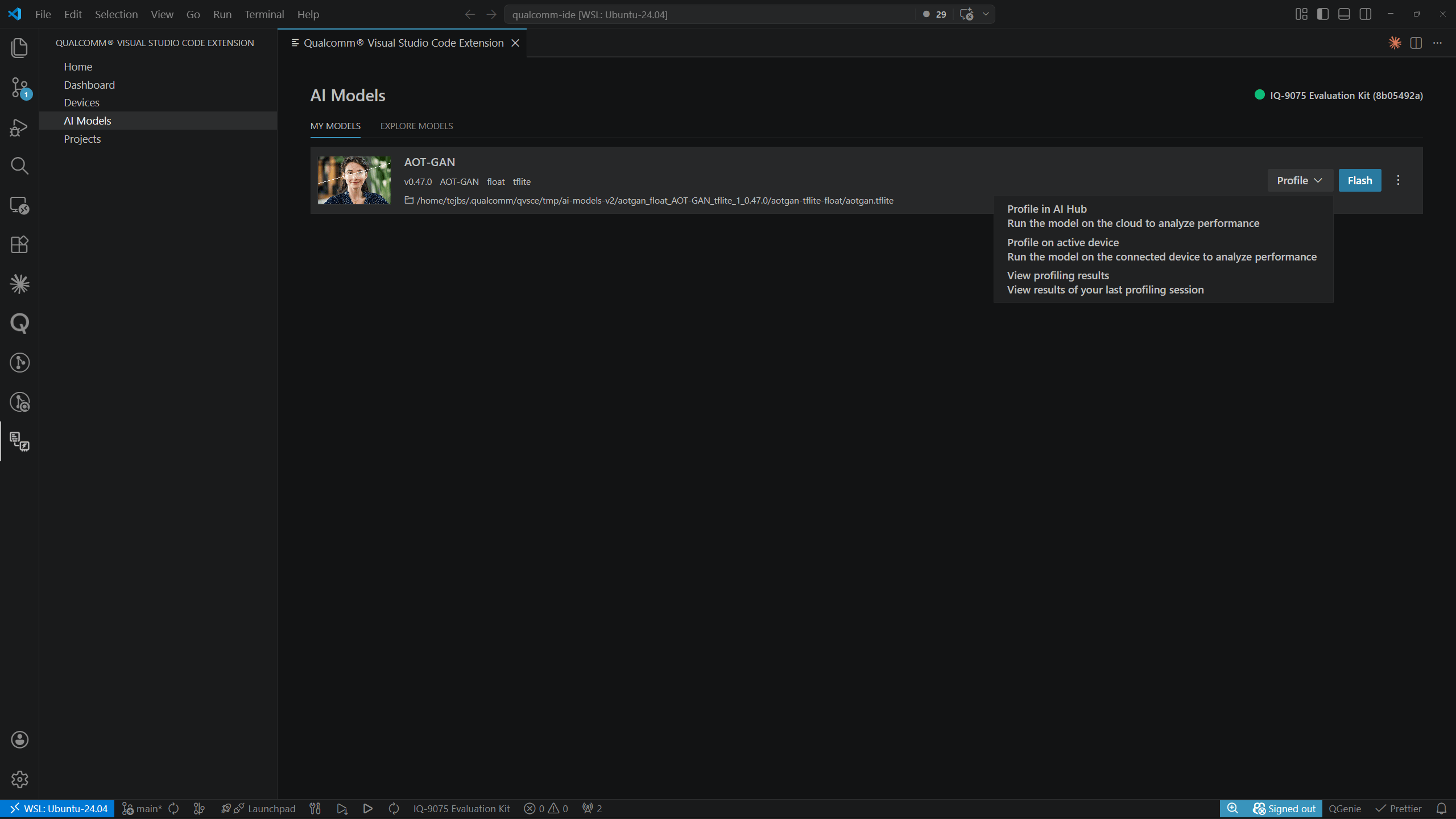 | 选项 | 说明 |
| - | - |
| **Profile in AI Hub** | 在云端运行模型以分析性能 |
| **Profile on active device** | 在已连接的设备上运行模型以分析性能 |
| **View profiling results** | 打开性能分析结果页面 |
### 在活动设备上分析
选择 **Profile on active device** 会启动本地性能分析。
| 选项 | 说明 |
| - | - |
| **Profile in AI Hub** | 在云端运行模型以分析性能 |
| **Profile on active device** | 在已连接的设备上运行模型以分析性能 |
| **View profiling results** | 打开性能分析结果页面 |
### 在活动设备上分析
选择 **Profile on active device** 会启动本地性能分析。
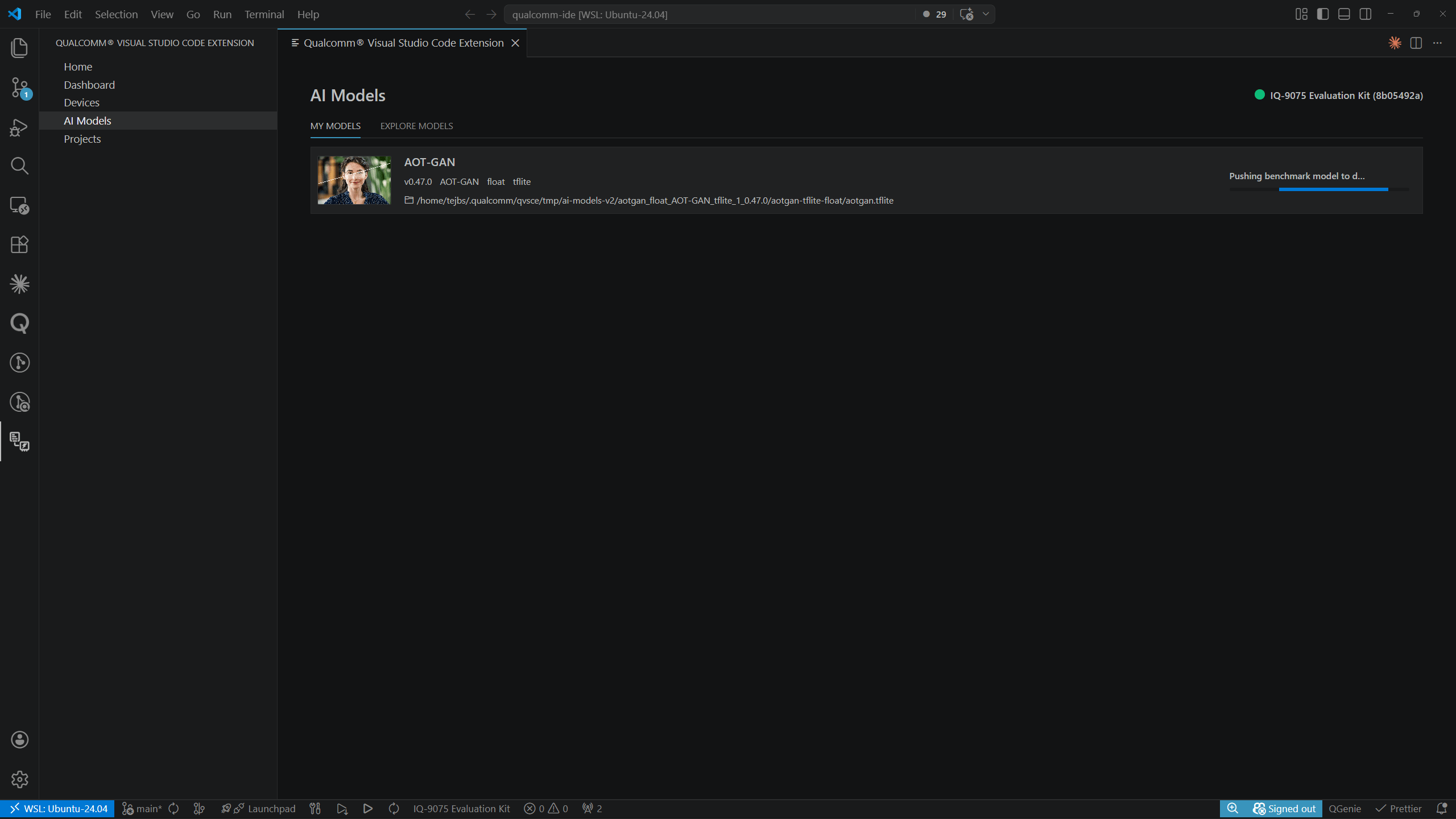
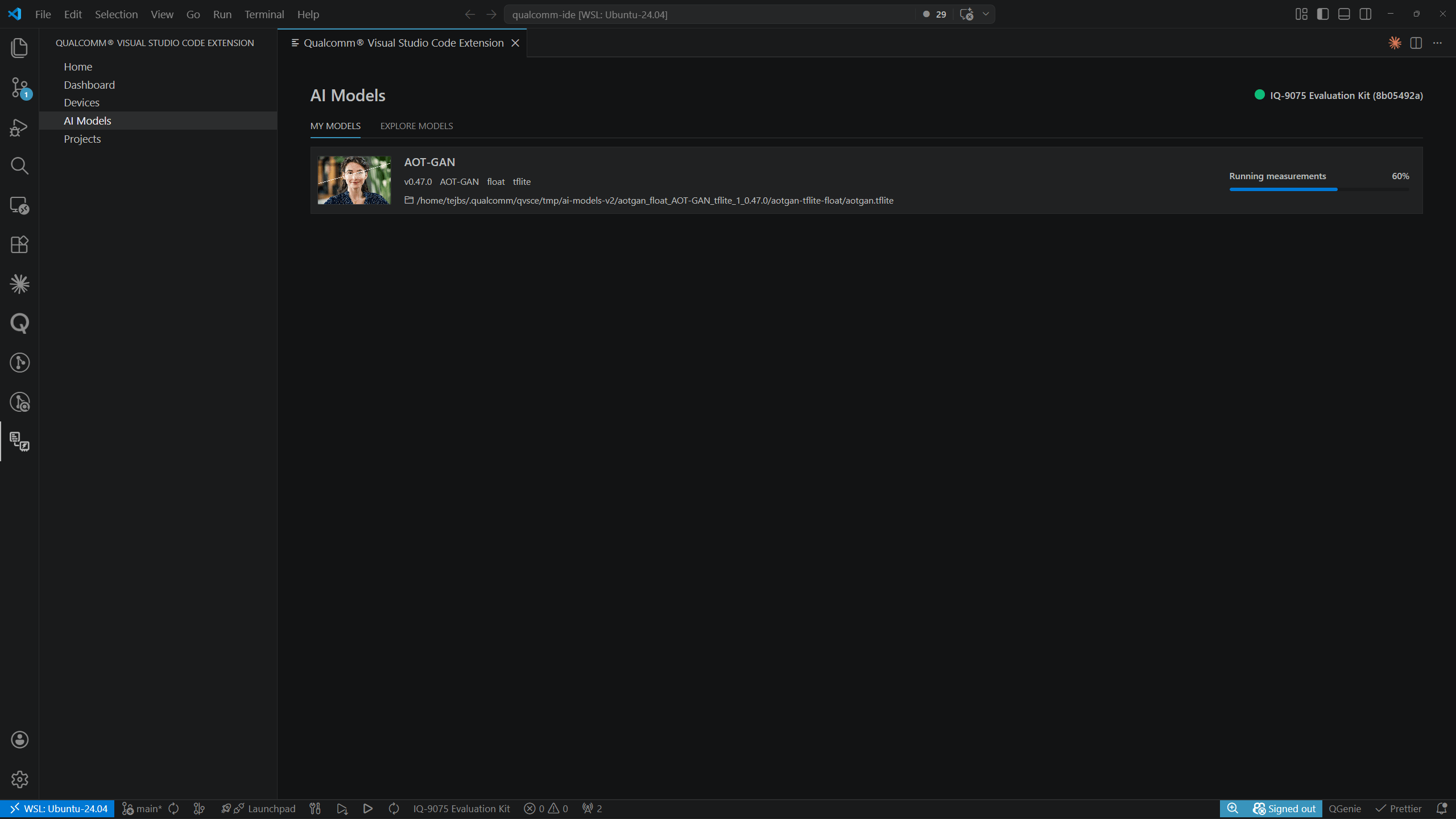 完成后,弹出通知确认:*"AOT-GAN profiled locally on IQ-8075 Evaluation Kit."*
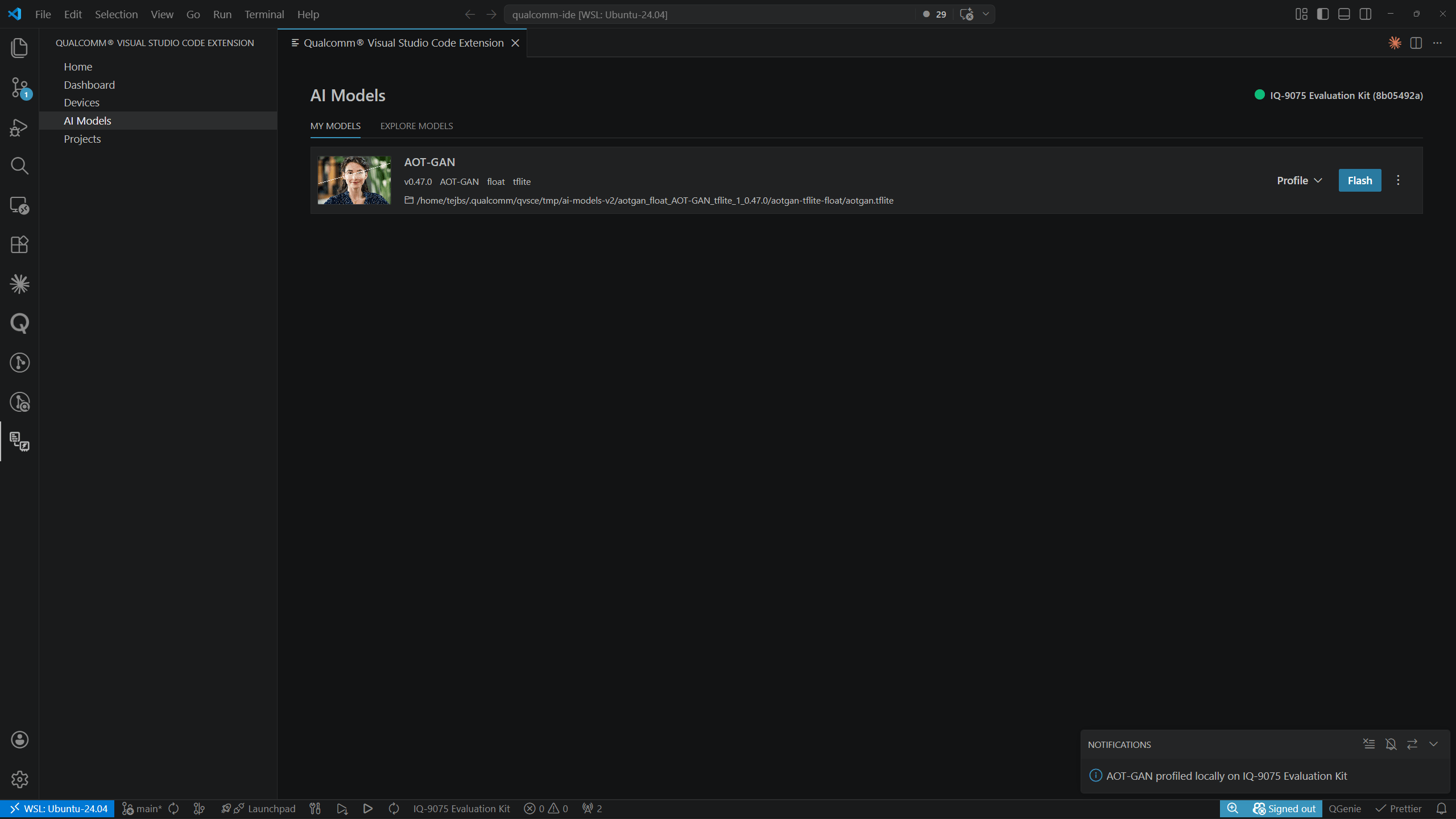 使用 **Profile on active device** 前必须设置活动设备。有关设置说明,请参阅
[设备](../development/devices)。
### 在 AI Hub 中分析
#### AI Hub 令牌
首次在 AI Hub 中分析模型时,扩展会提示您输入 AI Hub 令牌:
使用 **Profile on active device** 前必须设置活动设备。有关设置说明,请参阅
[设备](../development/devices)。
### 在 AI Hub 中分析
#### AI Hub 令牌
首次在 AI Hub 中分析模型时,扩展会提示您输入 AI Hub 令牌:
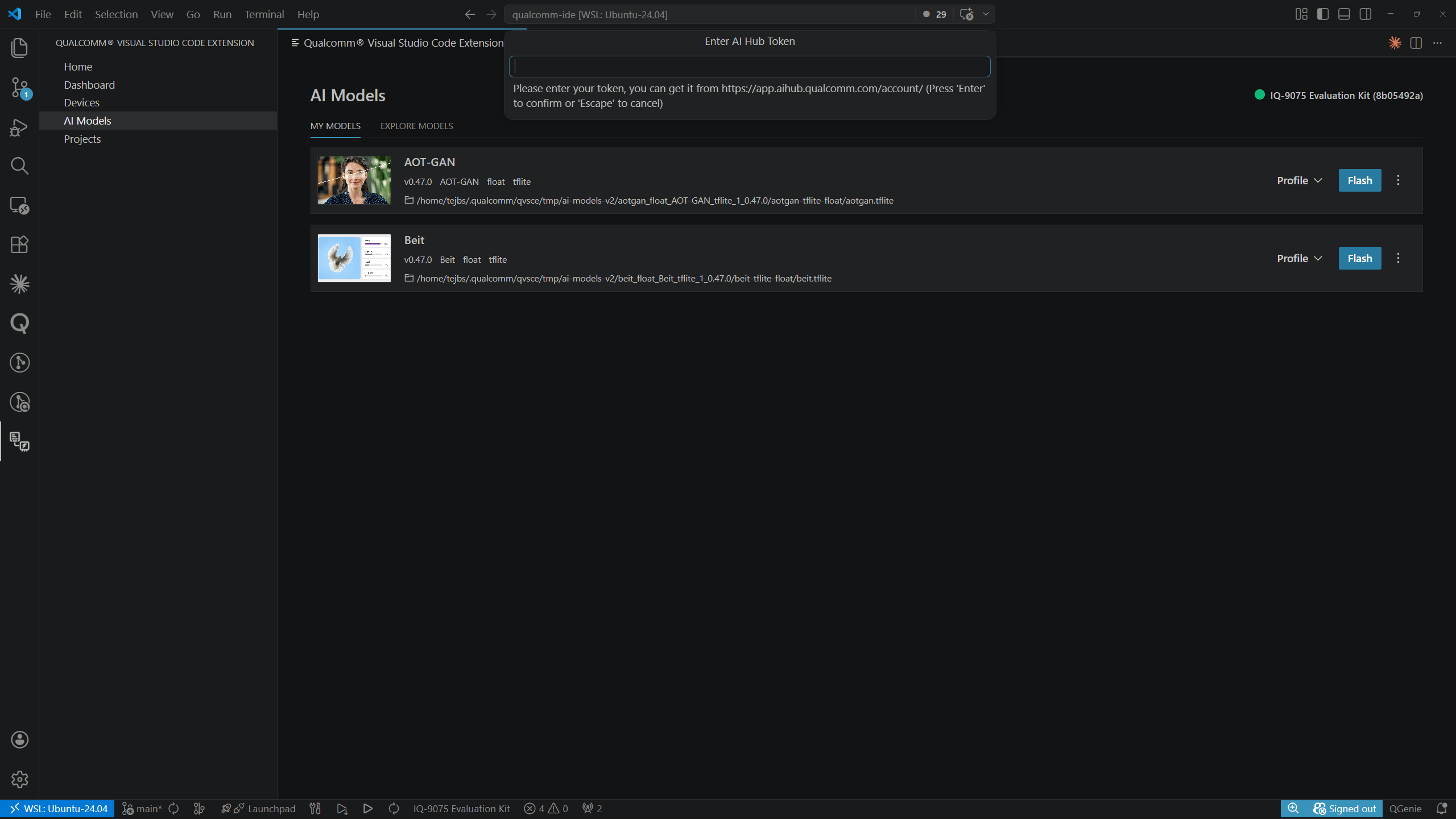 从 [aihub.qualcomm.com/account](https://aihub.qualcomm.com/account) 粘贴您的令牌,然后按 **Enter** 确认或按 **Escape** 取消。
选择 **Profile in AI Hub** 会打开一个侧边面板来配置云端分析作业。从下拉菜单中选择 **Device Type**,然后点击 **Start Profile**。
从 [aihub.qualcomm.com/account](https://aihub.qualcomm.com/account) 粘贴您的令牌,然后按 **Enter** 确认或按 **Escape** 取消。
选择 **Profile in AI Hub** 会打开一个侧边面板来配置云端分析作业。从下拉菜单中选择 **Device Type**,然后点击 **Start Profile**。
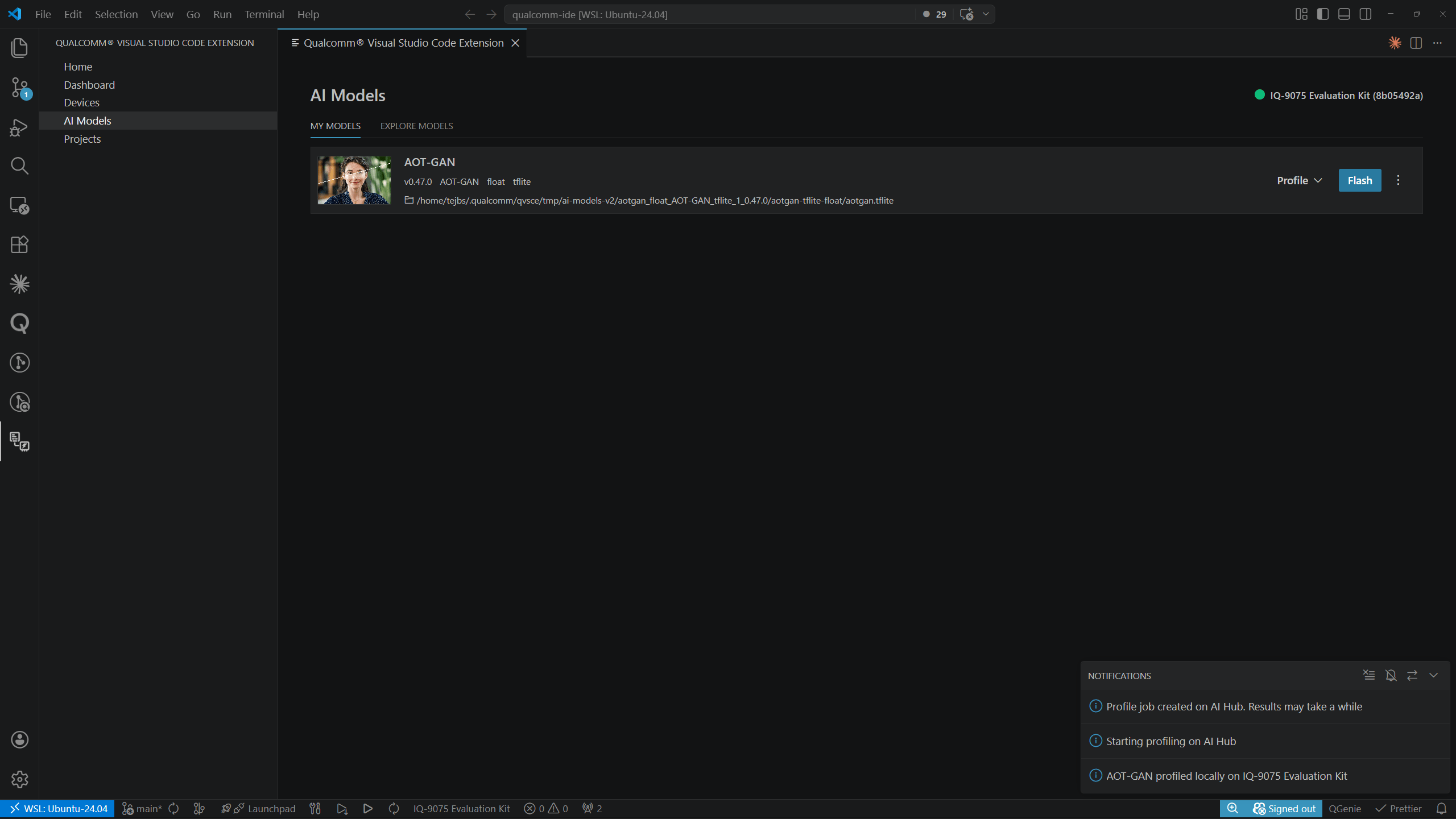
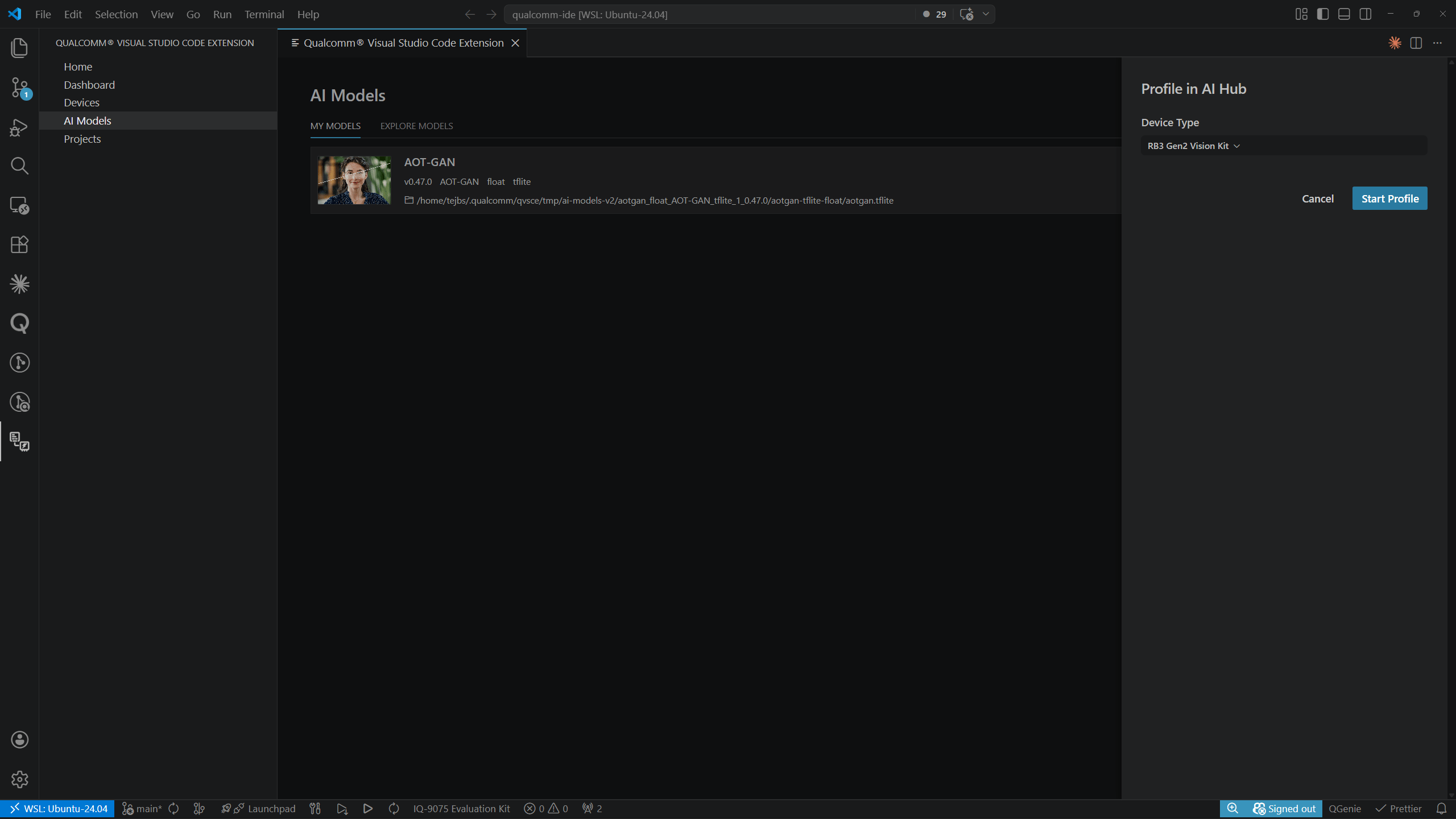 通知面板确认作业已创建:*"Profile job created on AI Hub. Results may take a while"* 和 *"Starting profiling on AI Hub."*
 ### 查看性能分析结果
选择 **View profiling results** 可从模型详情视图打开结果页面。面包屑导航显示 `My Models > `。
### 查看性能分析结果
选择 **View profiling results** 可从模型详情视图打开结果页面。面包屑导航显示 `My Models > `。
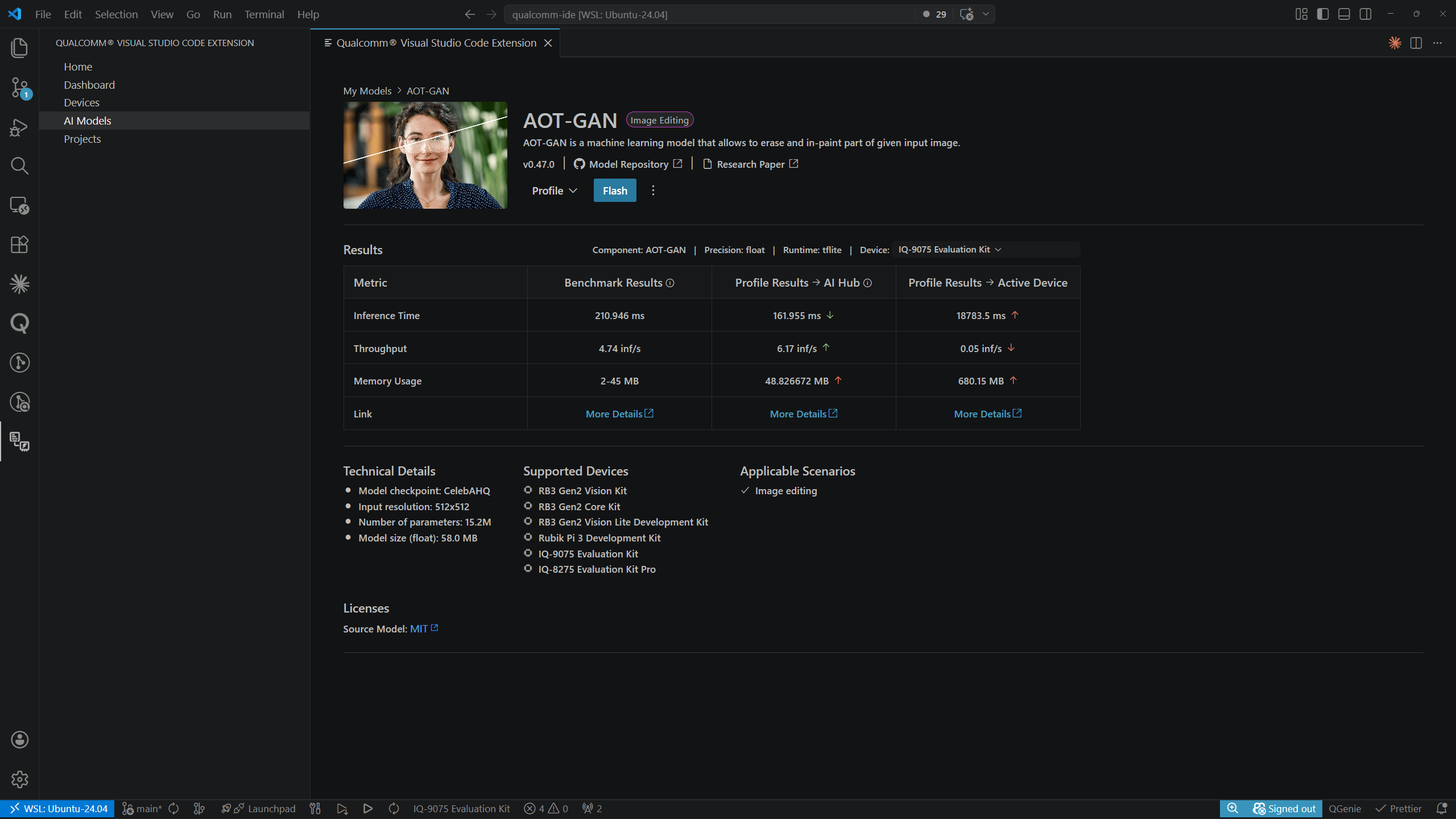 结果表头显示用于分析的 Component、Precision、Runtime 和 Device。各列显示来自所有可用来源的结果:
| 列 | 说明 |
| - | - |
| **Benchmark Results** | 该模型已发布的 AI Hub 参考值 |
| **Profile Results – AI Hub** | 来自云端 AI Hub 分析作业的值 |
| **Profile Results – Active Device** | 在本地连接的设备上测量的值 |
**Profile Results** 列中的每个值都有一个彩色箭头,表示相对于基准的性能:
* **红色** — 比基准差
* **绿色** — 比基准好
每列中的 **More Details** 链接会打开完整的 AI Hub 性能分析报告。
***
## 将模型烧录到设备
在 **MY MODELS** 的模型行上点击 **Flash**,将模型推送到活动设备。
结果表头显示用于分析的 Component、Precision、Runtime 和 Device。各列显示来自所有可用来源的结果:
| 列 | 说明 |
| - | - |
| **Benchmark Results** | 该模型已发布的 AI Hub 参考值 |
| **Profile Results – AI Hub** | 来自云端 AI Hub 分析作业的值 |
| **Profile Results – Active Device** | 在本地连接的设备上测量的值 |
**Profile Results** 列中的每个值都有一个彩色箭头,表示相对于基准的性能:
* **红色** — 比基准差
* **绿色** — 比基准好
每列中的 **More Details** 链接会打开完整的 AI Hub 性能分析报告。
***
## 将模型烧录到设备
在 **MY MODELS** 的模型行上点击 **Flash**,将模型推送到活动设备。
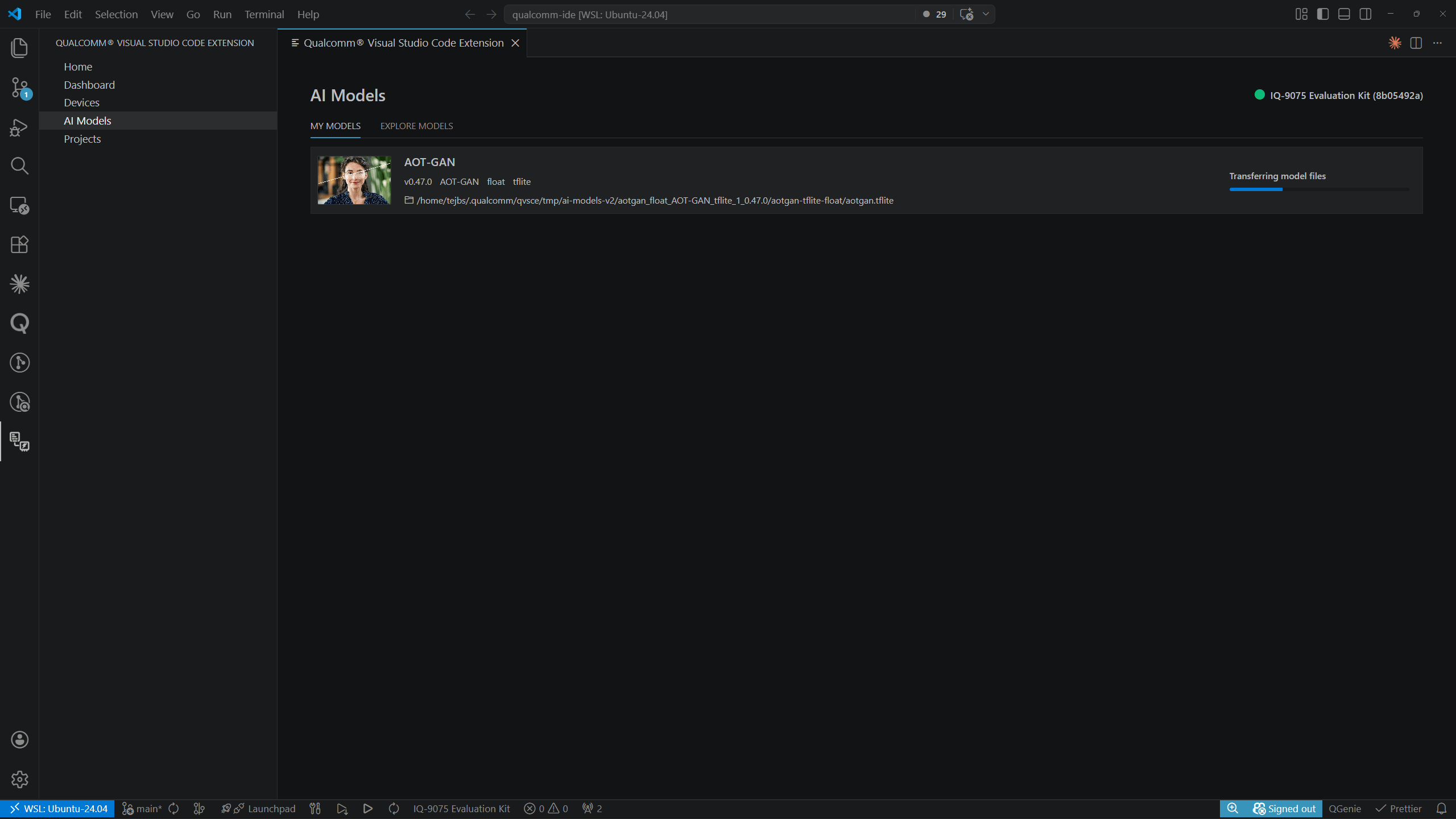
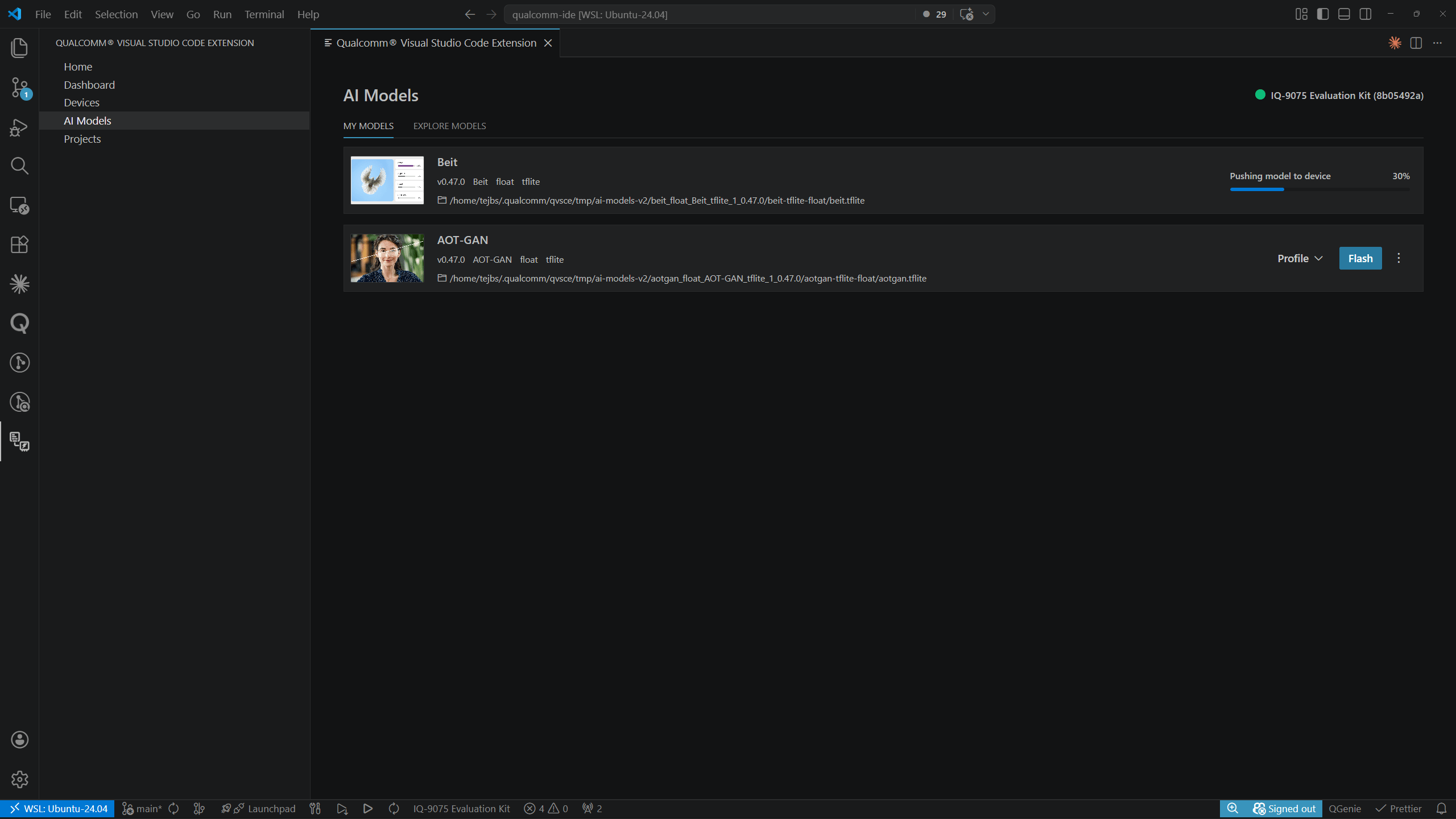 完成后,弹出通知确认:*"AOT-GAN model pushed to IQ-8075 Evaluation Kit successfully."*
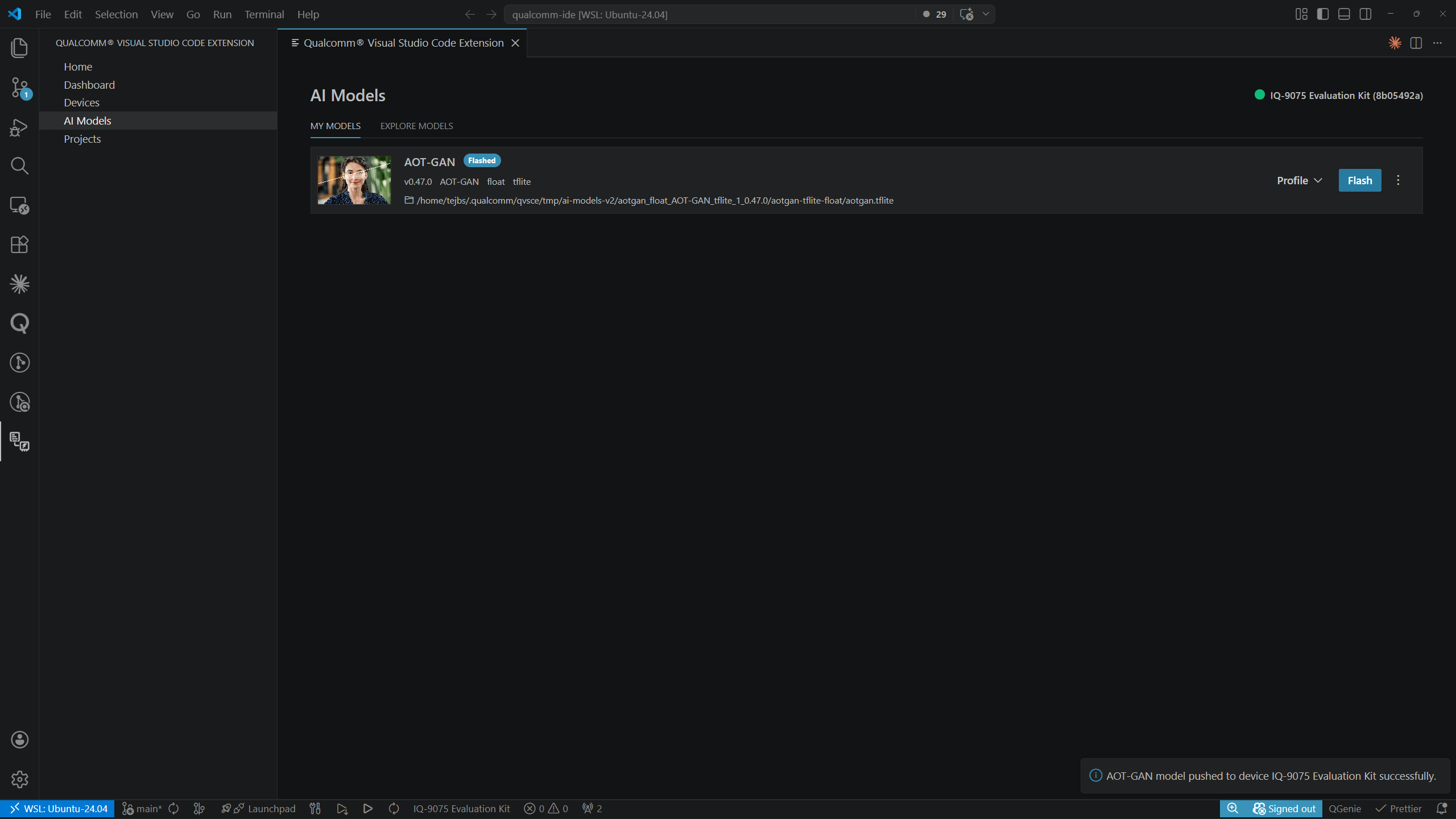 烧录前必须设置活动设备。活动设备显示在 AI 模型页面的右上角。有关设置说明,请参阅
[设备](../development/devices)。
***
## 移除模型
点击 **MY MODELS** 中模型行右侧的 **⋮** 溢出菜单,选择 **Remove**,即可从主机上删除该模型及其所有性能分析结果。
烧录前必须设置活动设备。活动设备显示在 AI 模型页面的右上角。有关设置说明,请参阅
[设备](../development/devices)。
***
## 移除模型
点击 **MY MODELS** 中模型行右侧的 **⋮** 溢出菜单,选择 **Remove**,即可从主机上删除该模型及其所有性能分析结果。
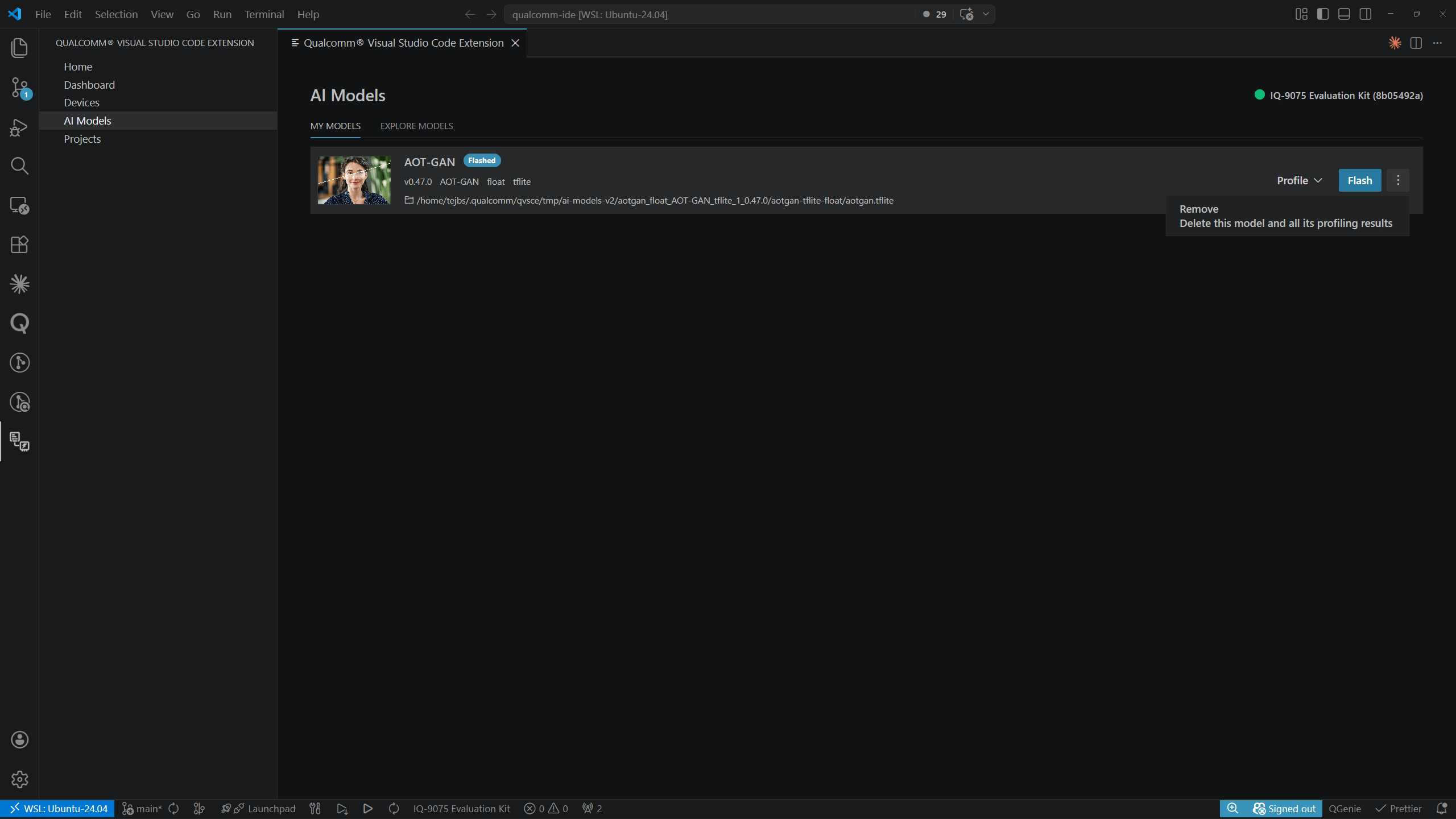 **Remove** 会删除本地模型文件和所有关联的性能分析结果。
该模型可以从 **Explore Models** 标签页重新下载。
**Remove** 会删除本地模型文件和所有关联的性能分析结果。
该模型可以从 **Explore Models** 标签页重新下载。